
How to use FormosaWatch
Before you start
Anyone can look at the map, the species pages and play the games. To file a report, use Community or add friends, you need a free account.
Part 1
File a report
Saw an invasive species, a wild animal, or an animal hurt or killed on the road? A report takes about a minute, and it works even without a signal.
Needs an account (free).
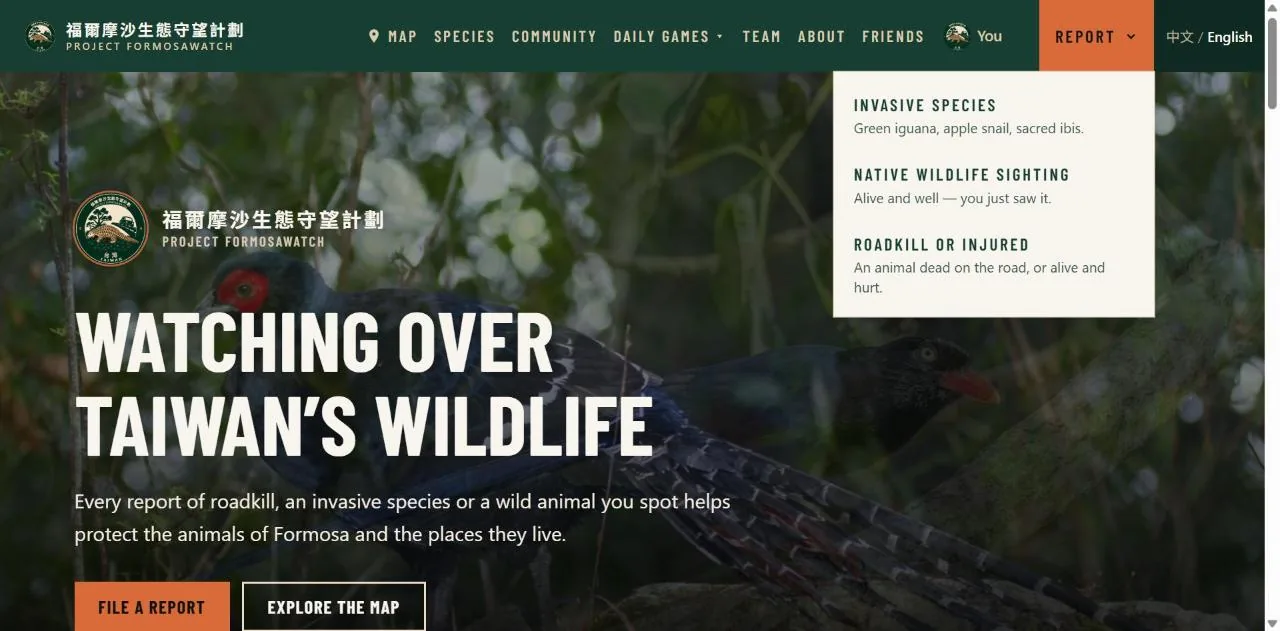
- 1Press Report at the top right of any page.
- 2Choose what you are reporting: an invasive species, a native wildlife sighting, or roadkill or an injured animal.
- 3On the home page, the File a report button does the same.
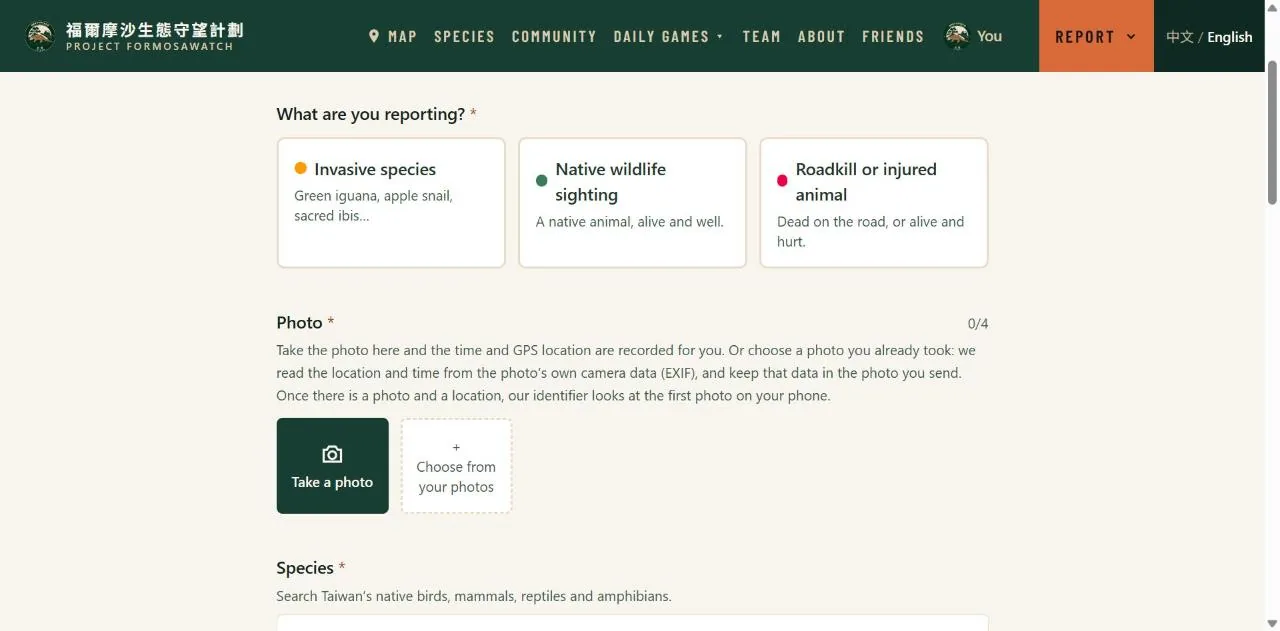
- 1Check the kind of report. You can still change it here.
- 2Add up to 4 photos. Take a photo here and the time and GPS location are filled in for you; a photo from your album works too, and we read its location and time from the photo itself.
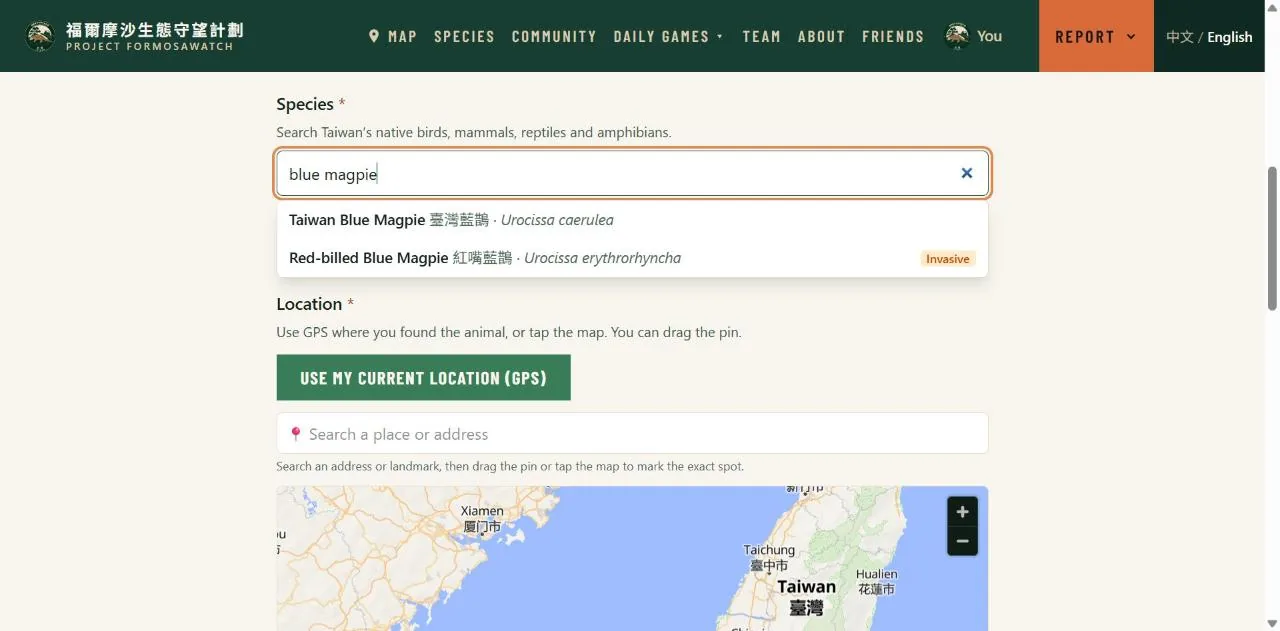
- 1Type the animal’s name in Chinese, English or its scientific name.
- 2Pick the right species from the list. Not sure what it is? Tick “I can’t tell what it was” and other members can help identify it from your photo.
- 3Mark where you found it: press Use my current location (GPS) while you are there…
- 4…or search for a place, then tap the map or drag the pin to the exact spot.
Tip: The time is filled in for you (from your photo, or now). Change it if you saw the animal earlier.
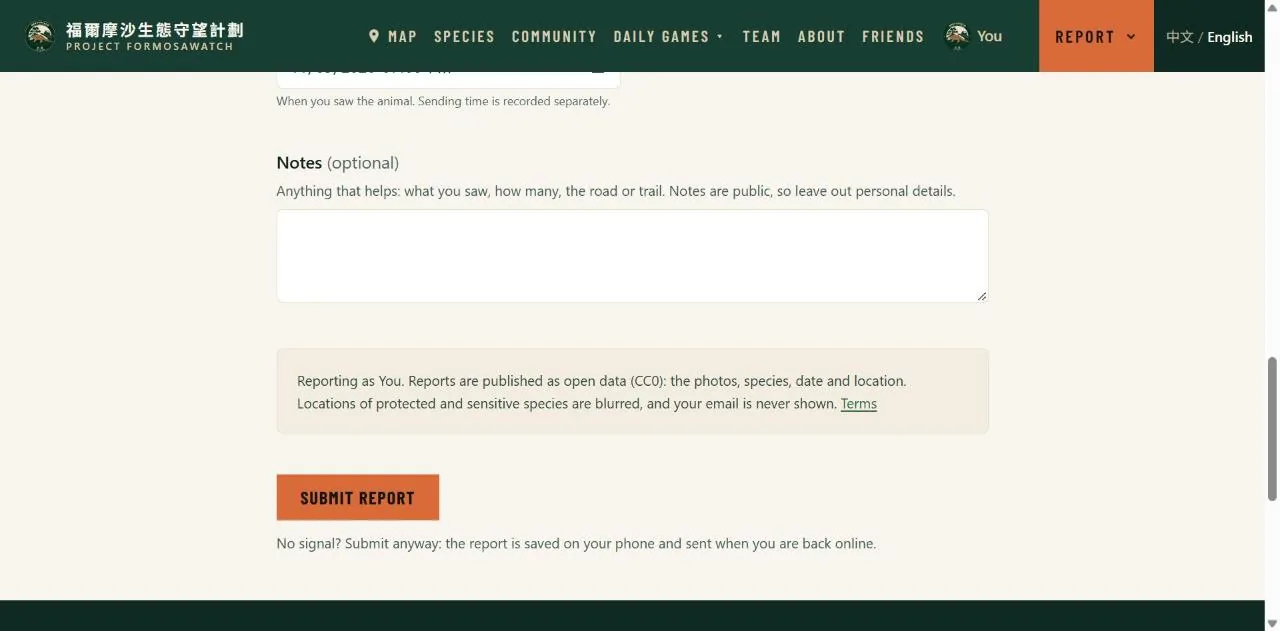
- 1Add notes if they help: what you saw, how many, which road or trail. Notes are public, so leave out personal details.
- 2Press Submit report. Your report goes on the map for everyone to see.
- 3No signal? Submit anyway: the report waits on your phone and is sent when you are back online.
Tip: Locations of protected and sensitive species are blurred on the map to keep the animals safe. Your email is never shown.
Part 2
Use the map
Every report is on an open map: roadkill, invasive species and wildlife sightings from our members, Taiwan’s roadkill network (TaiRON) and iNaturalist.
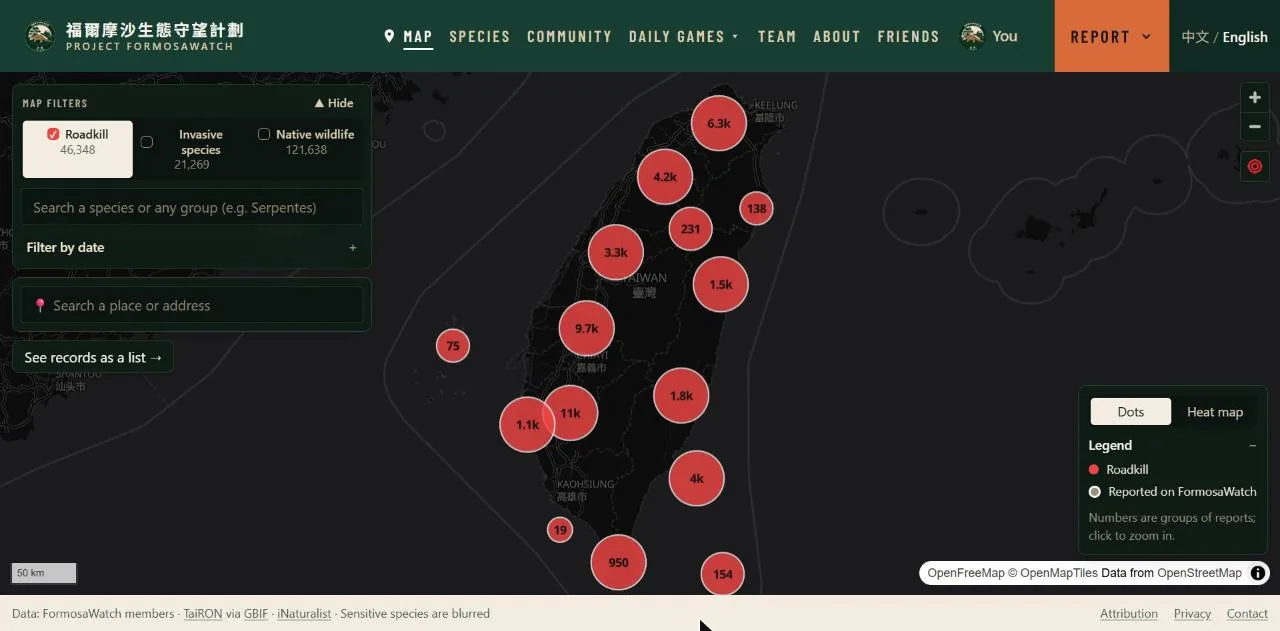
- 1Choose what to show: roadkill, invasive species, native wildlife, or several at once.
- 2Search a species or a whole group (for example Serpentes, the snakes) to show only those records.
- 3Filter by date to see a season or a year.
- 4Search a place or address to jump there.
- 5See the same records as a list.
- 6A number is a group of records. Tap it to zoom in until you see single records.
- 7The red button shows where you are (a blue dot) and which way you are facing.
- 8Switch between dots and a heat map.
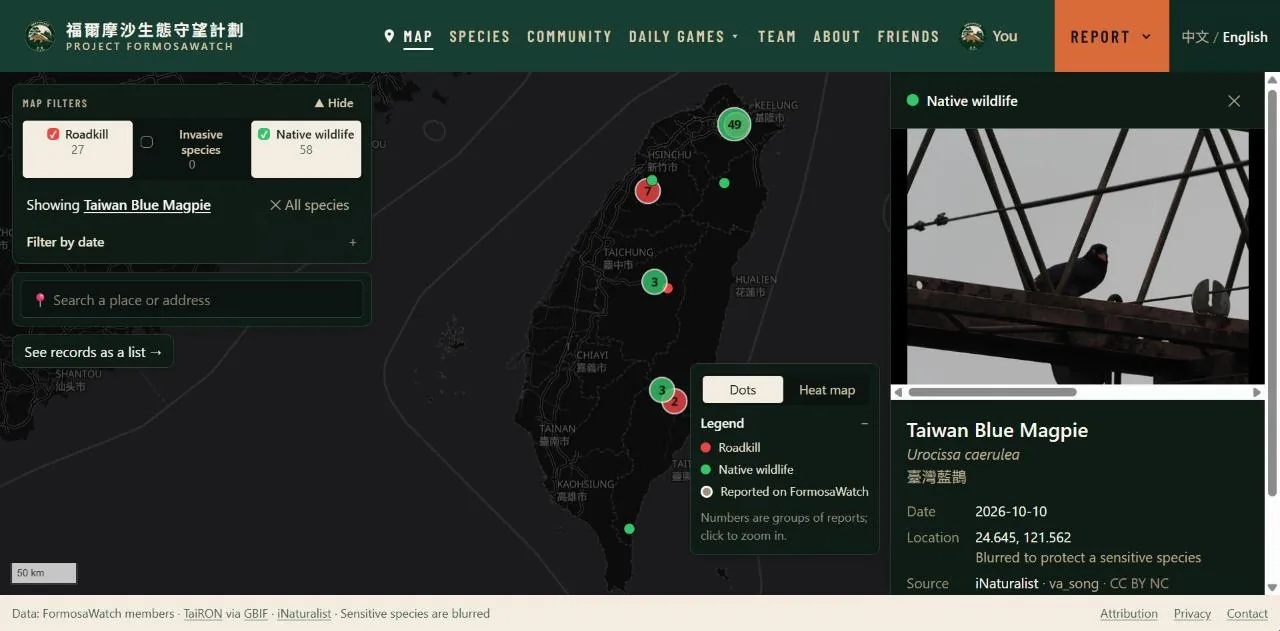
- 1Here the map shows only the Taiwan Blue Magpie. Press ✕ All species to show everything again.
- 2Tap a dot to open that record.
- 3The record’s photo, date, place and source. Protected species show only a blurred location.
- 4Close it with ✕.
Part 3
Species registry
Every animal with a record in Taiwan, about 6,800 species, with photos, names, protection status and when and where it is seen.
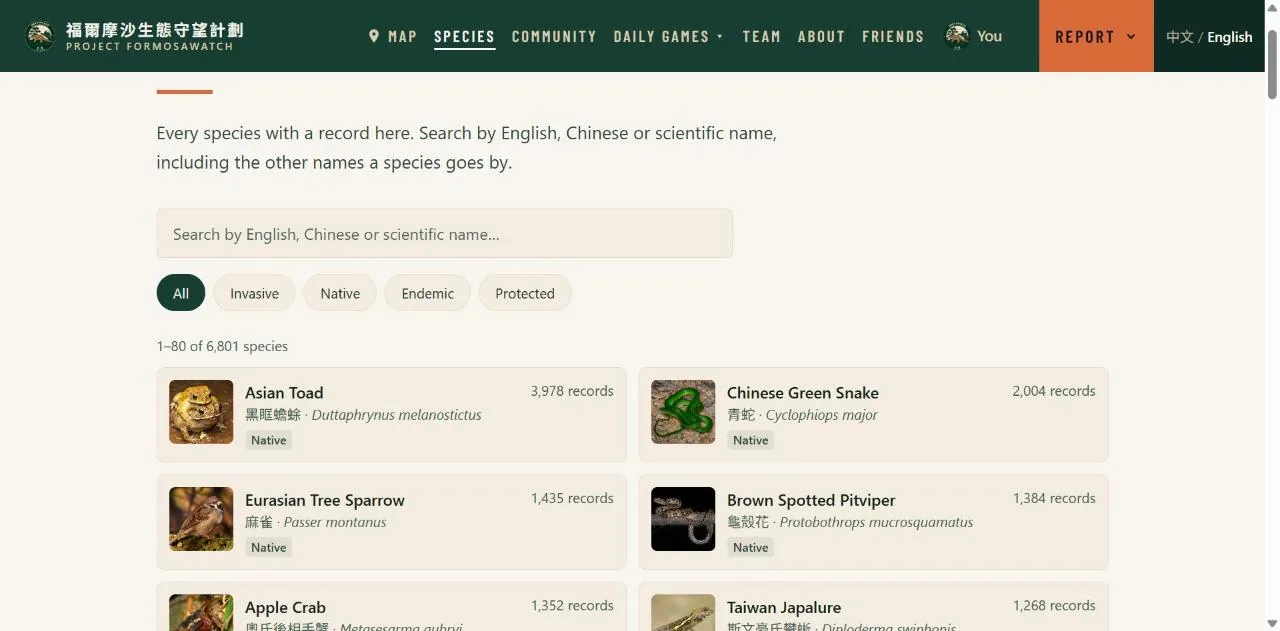
- 1Search by Chinese, English or scientific name, including other names a species goes by.
- 2Show only invasive, native, endemic (found only in Taiwan) or protected species.
- 3Each card shows the photo, names and how many records there are. Tap it to open the species page.
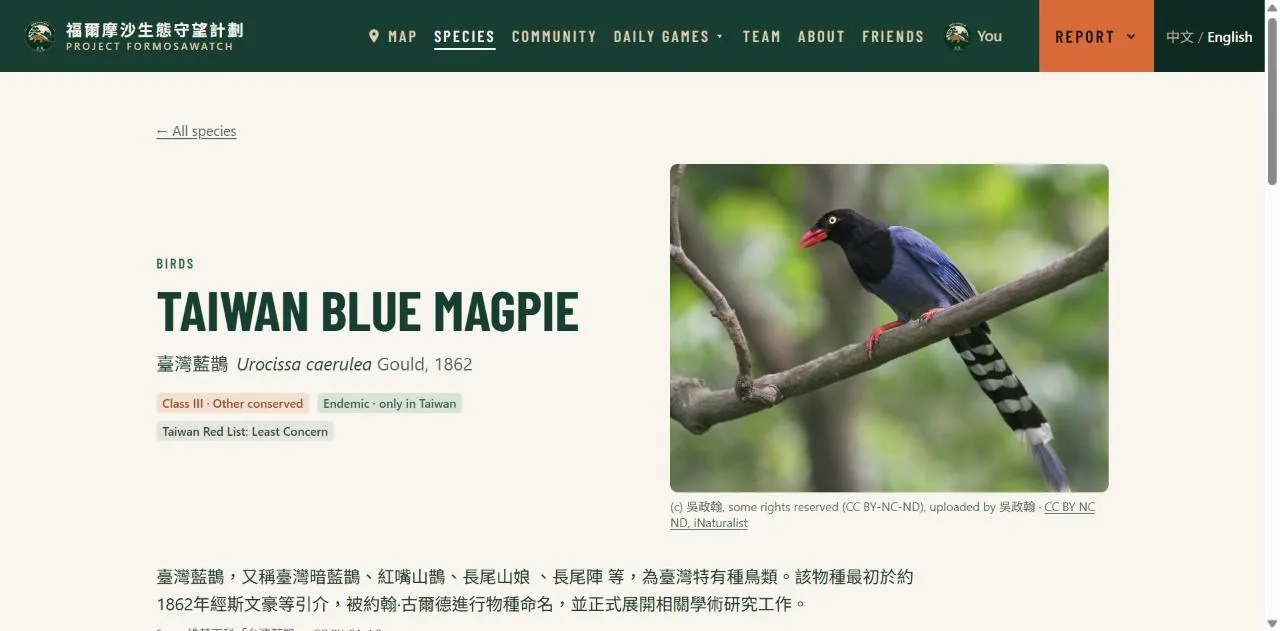
- 1The animal’s group and its Chinese, English and scientific names.
- 2Its protection level, whether it is endemic, and its Red List status.
- 3A photo, with the photographer credited underneath.
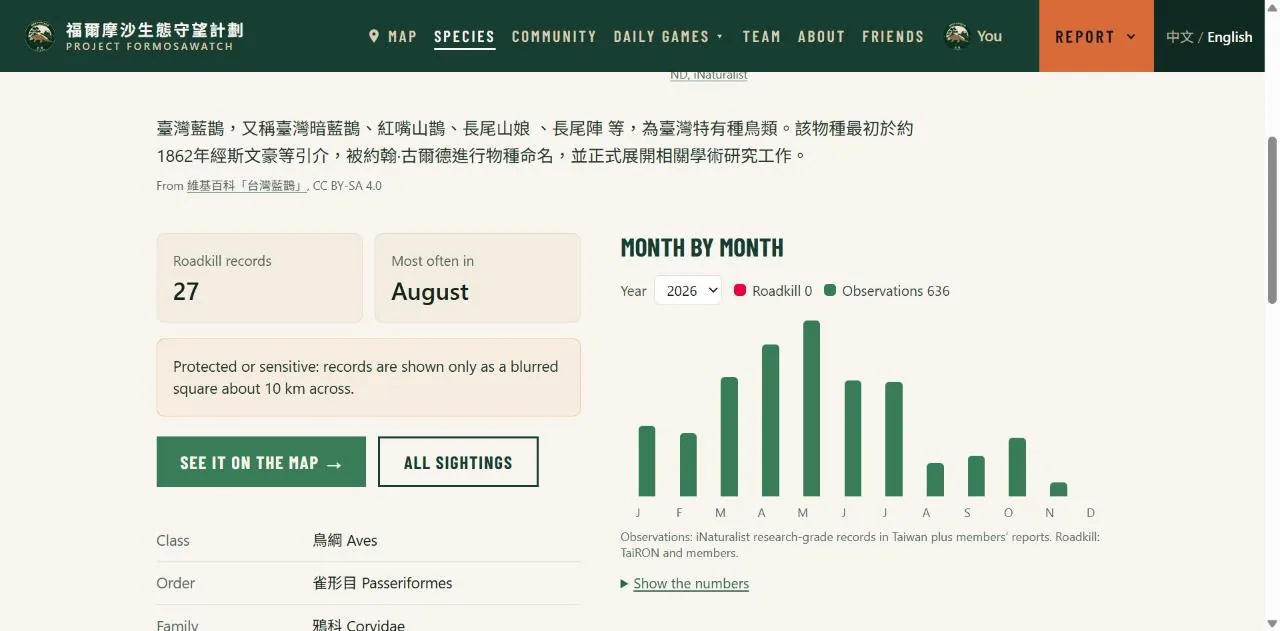
- 1How many roadkill records there are, and the month it is seen most.
- 2See it on the map: opens the map showing only this species.
- 3All sightings: every record of it as a list.
- 4Records month by month. Pick a year to compare.
Part 4
Community boards
Ask for help with an ID, share what you saw, or plan a night walk. Boards are like groups on a topic: join the ones you like and post in them.
Needs an account (free).
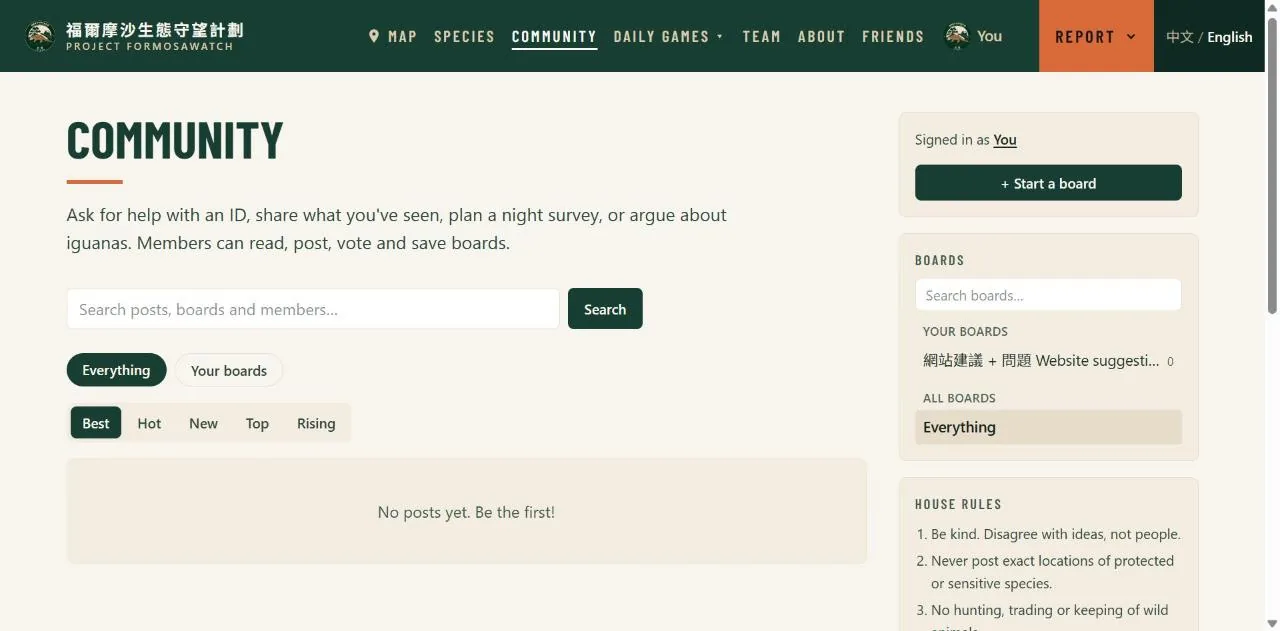
- 1Search posts, boards and members.
- 2See posts from every board, or only the boards you joined.
- 3Sort by Best, Hot, New, Top or Rising.
- 4Start your own board on any topic.
- 5Find a board, and jump to the ones you joined.
- 6Please read the house rules: be kind, and never post exact locations of protected species.
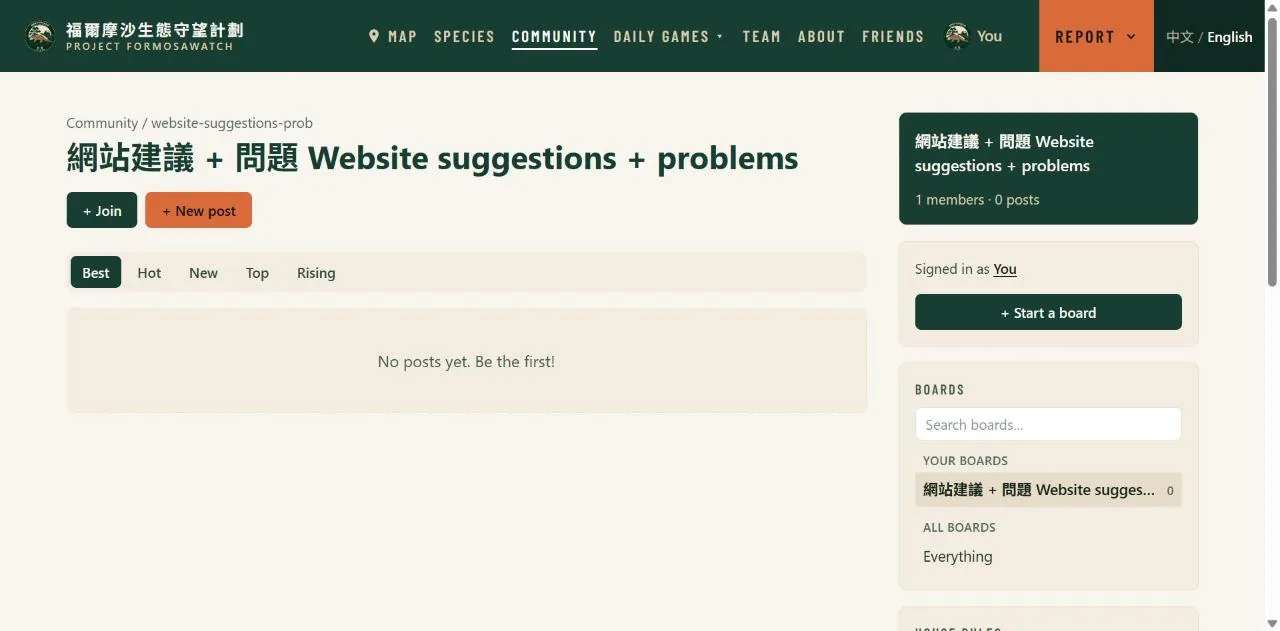
- 1Join the board so its posts show up in your feed.
- 2Write a new post on this board.
- 3Posts appear here. Open one to vote ▲▼, comment and reply.
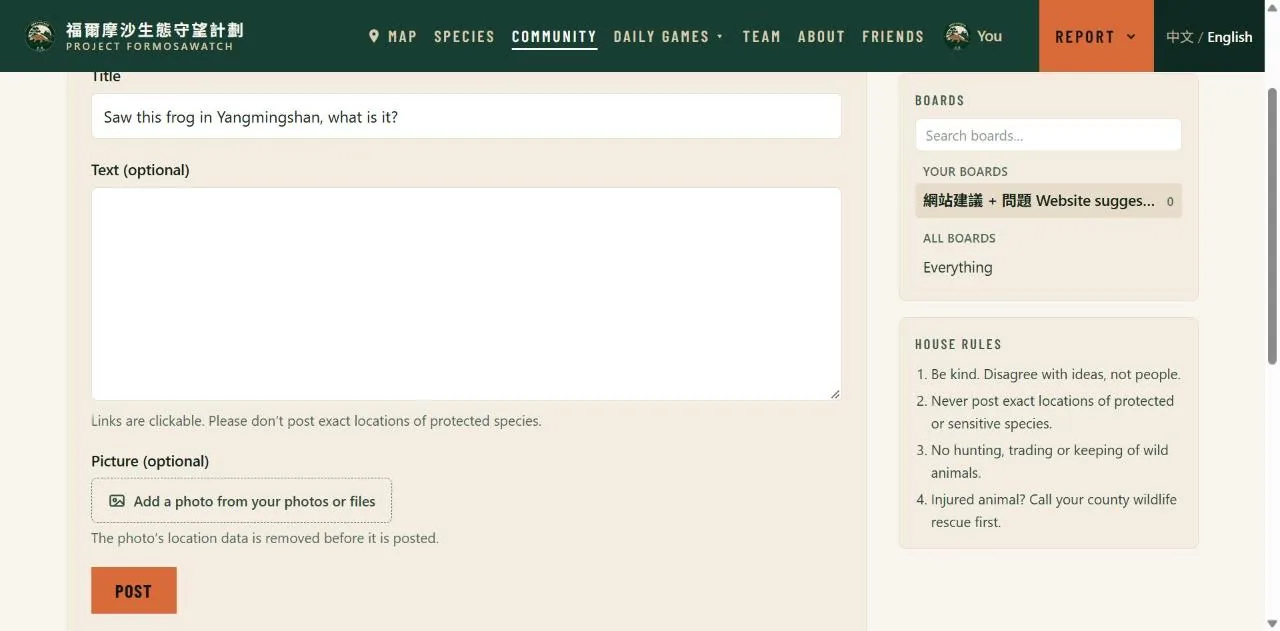
- 1Give your post a title.
- 2Add more text if you like. Links are clickable.
- 3Add a photo. Its location data is removed before it is posted.
- 4Press Post.
Part 5
Friends and messages
Add friends, see who is online, and chat one-to-one or in a group. Open it from Friends at the top of the page.
Needs an account (free).
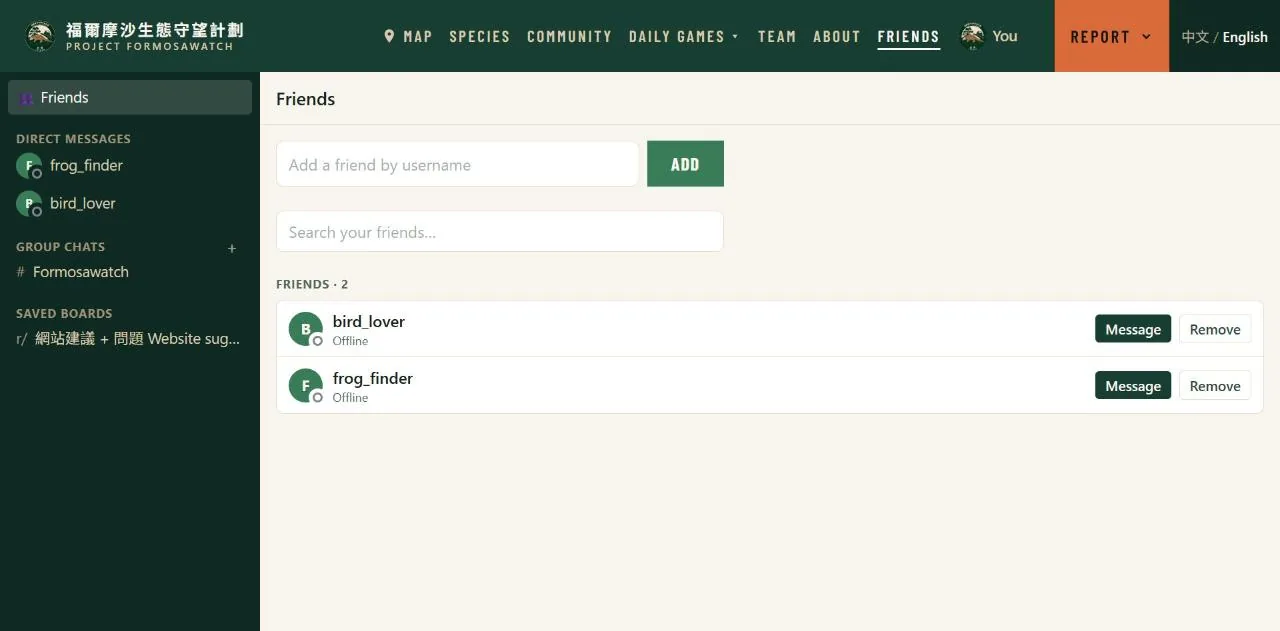
- 1Type a member’s username and press Add to send a friend request. You can also press Add friend on their profile page.
- 2Your friends, and whether they are online. Friend requests sent to you appear here too: press Accept.
- 3Press Message to start chatting.
- 4Your one-to-one chats.
- 5Group chats. Press + to start one with several friends.
- 6Boards you saved, one tap away.
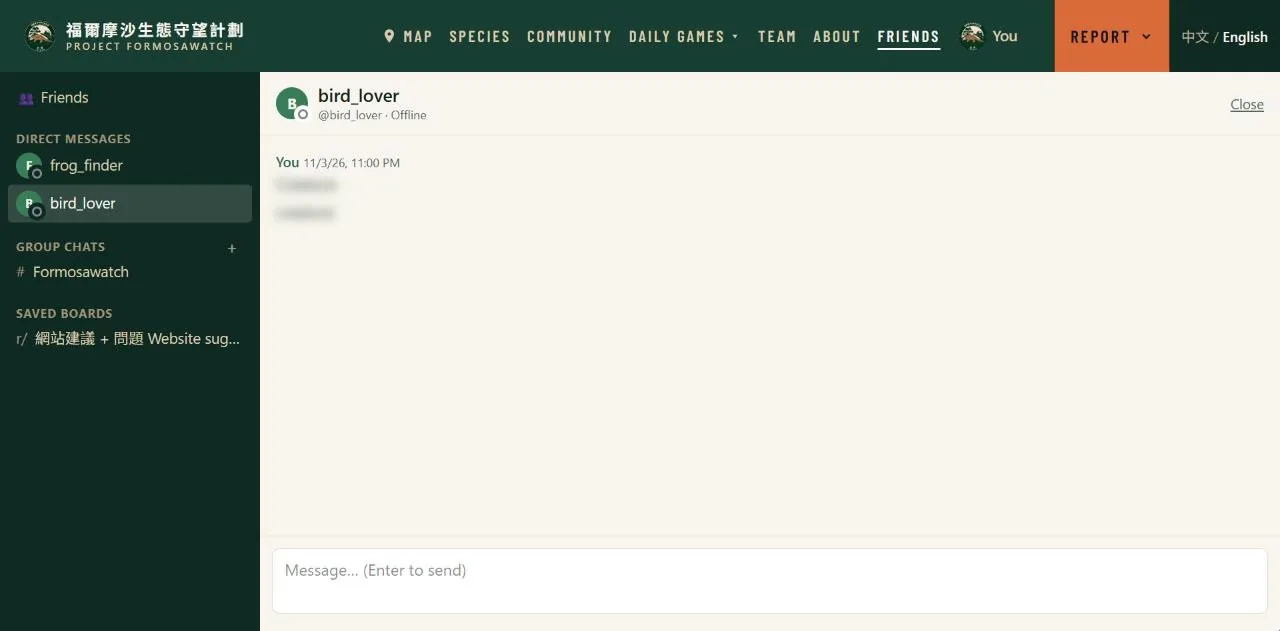
- 1Pick who to chat with.
- 2Their name, and whether they are online now.
- 3Type a message and press Enter to send.
Tip: In the picture, the example names stand in for real members and the messages are blurred.
Ready to go?
Still stuck? Ask in Community on the Website suggestions + problems board.